DE

Services / Custom Software & Customer Portals

Custom software and customer portals for your workflows

Does standard software not fit your workflows, or should your customers be able to follow their own orders? We build custom software and customer portals around a clearly defined workflow and connect existing systems where needed.
Tool Sprint EUR 7,900 Fixed price, net

Black monitor and smartphone with white application layouts and red controls.

Who and what this is for

For businesses with a concrete operational problem and product teams with a defined idea. Examples include managing orders in one place, joining data from two systems or avoiding duplicate data entry between existing tools.

An existing codebase can be the starting point. We first review its structure, dependencies and the affected user journey. That helps establish whether an extension, a repair or a new application makes sense.
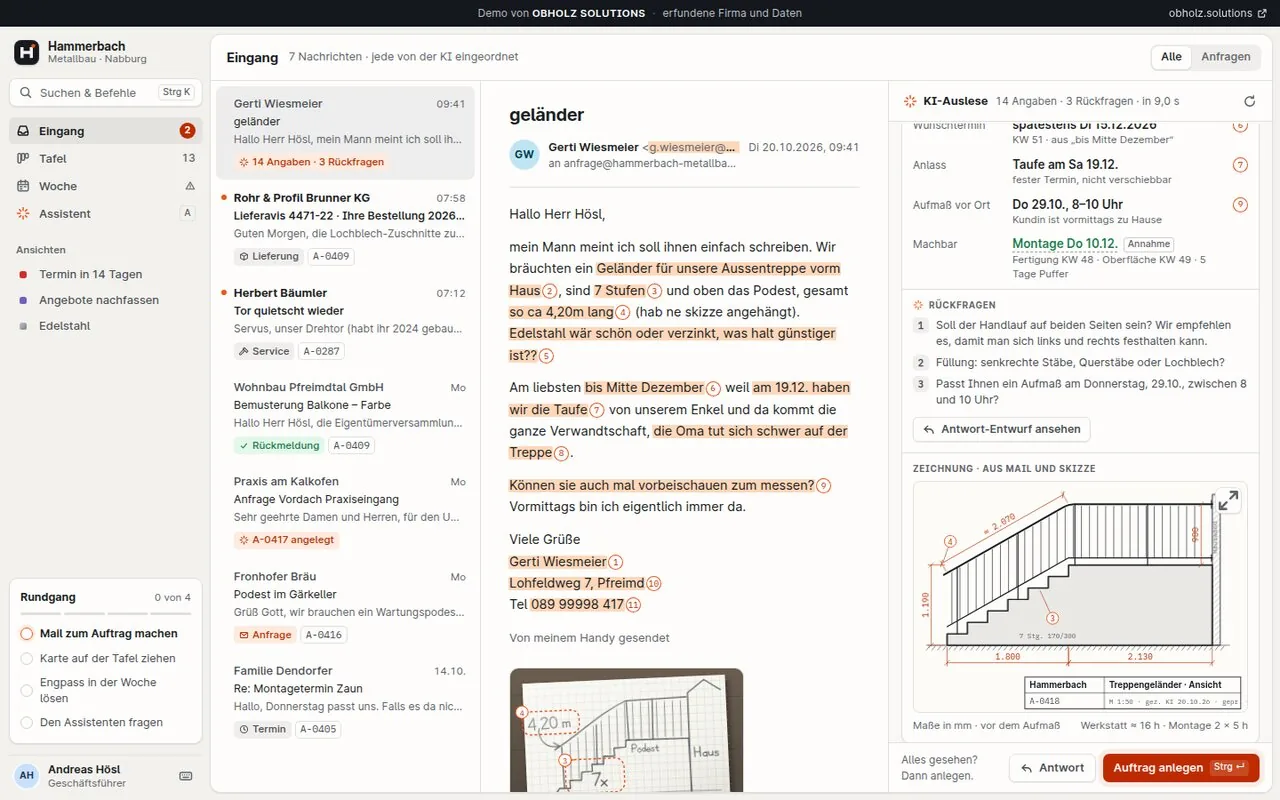
Order hub: a customer email with highlighted details next to the automatically created order with a drawing
Demo with sample data Order hub for a metalwork business. View demo

A concrete example

Illustrative scenario explaining the service
Track jobs from the first enquiry to handover

The situation
A service team receives enquiries by email. Dates, responsibilities and progress live in separate spreadsheets. When a question arises, nobody is sure which version is current.
The starting point
An anonymised sample job, the current status steps and the team roles are enough for an initial shared outline.
What we would build
A shared job view with owners, status changes, search and a clear handover step. An existing system can be connected if it provides the required data.
How the result would be checked
A sample job is created, assigned, updated and completed. Missing required information and unauthorised changes are checked too. The team can follow the same current state.

What you receive

  • An agreed user journey, including the screens, inputs and outputs it needs.
  • An internal business application, customer portal or API integration within the agreed scope, connecting existing systems where needed.
  • Useful error states, appropriate access controls and checks for the important workflows.
  • Source code, setup instructions and a documented handover to the agreed environment.
Black workshop table with a laptop and a white planning board connected by a red path.
Define the workflow and its boundaries: who uses the application, which data it needs and how you will judge the completed feature.

Tool Sprint: what is included and what is not

Tool Sprint EUR 7,900 Fixed price, net · Duration: 15 working days

Included

  • One defined workflow with up to five input screens
  • One role and permission concept
  • Up to two connections to existing systems
  • Acceptance against 10 to 20 agreed test cases
  • Source code and documented handover
  • A go-live session conducted together with you to connect the live systems agreed in the quotation

Not included

Our process

  1. Define the workflow and its boundariesWe establish who will use the application, which data it needs and how you will judge the completed feature. A small initial scope makes assumptions easier to test.
  2. Build and check the real journeyA usable version provides a shared basis for review. We check normal inputs, relevant failures and the agreed devices or integrations.
  3. Hand over and plan the next stepYou receive the agreed source files and operating information. Additional features and ongoing support are defined separately.

One useful workflow can be a sensible first step. An idea does not always need a complete platform from day one. Ongoing software maintenance, updates and further development can be agreed separately.

Useful for a first conversation

  • A short description or screenshots of the current workflow.
  • Existing applications and required integrations.
  • The first feature that needs to work in everyday use.

Define the scope together

We separate the core journey, useful additions and later ideas. That makes it possible to agree a small usable version before adding further features.
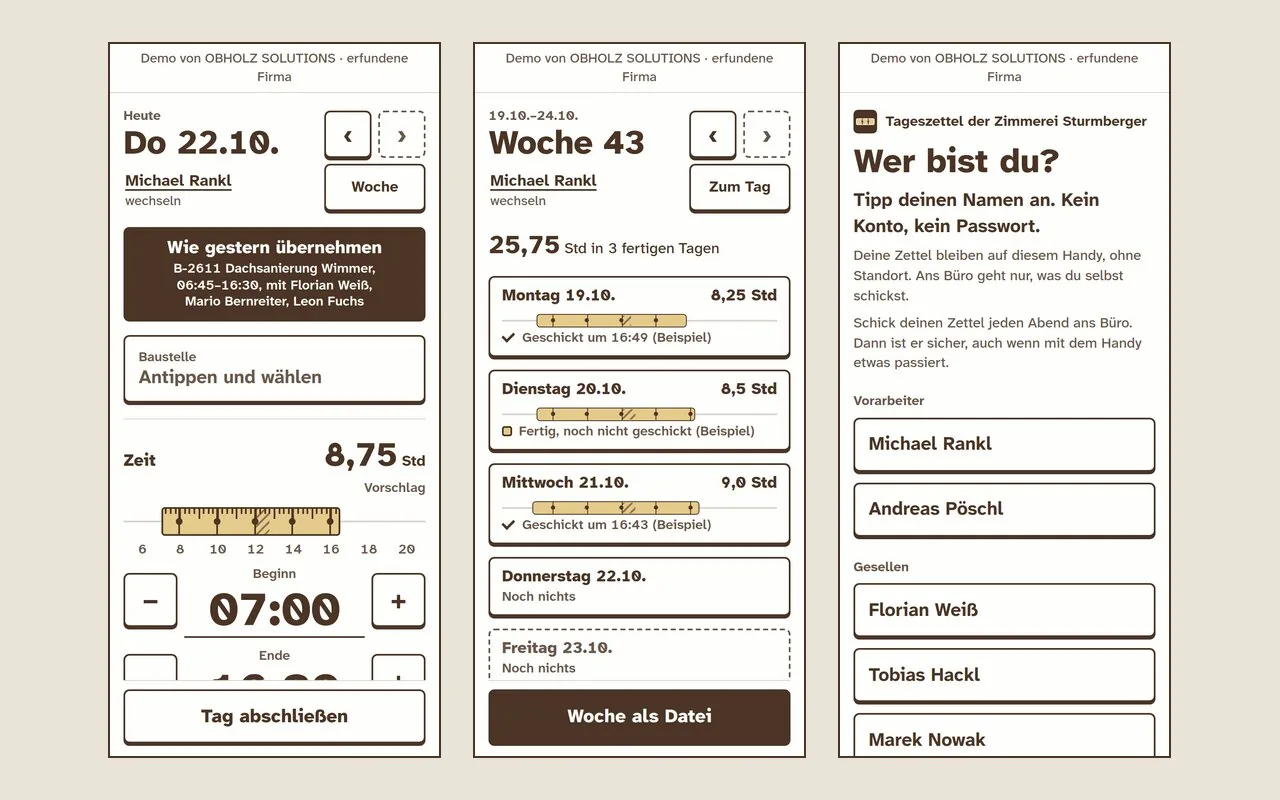
Timesheet app: three phone screens with a folding-rule bar for working hours, a week overview and name selection without an account
Demo with sample data Timesheet app for a carpentry firm. View demo
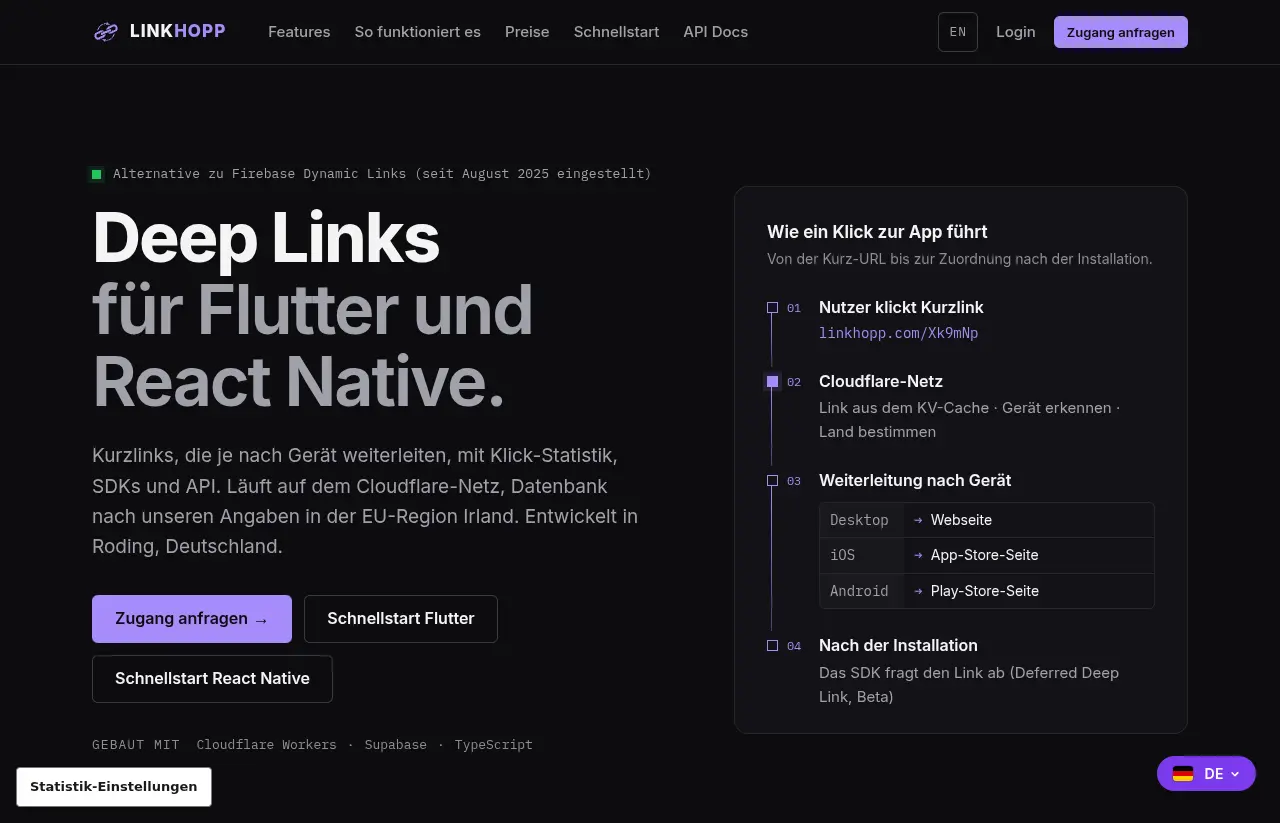
View of the public LinkHopp product website
Own product LinkHopp: One link. A suitable route into the app. View project

What does it cost?

For one defined workflow as a web application there is the Tool Sprint, for example for a customer portal or an internal app. It costs EUR 7,900 net and takes 15 working days.

We make a written offer for larger projects, several workflows or ongoing development after a conversation.

What a project costs depends on the workflow and its scope: how many screens and roles it needs and which existing systems are connected.

Packages & pricing

Questions and answers

What does custom software or a customer portal cost?

For one defined workflow as a web application there is the Tool Sprint: EUR 7,900 net, 15 working days. Larger projects, several workflows or ongoing development are offered in writing after a conversation. The price depends on views, roles and connected systems.

What does the Tool Sprint include?

One defined workflow with up to five input screens, a role and permission concept, up to two connections to existing systems, acceptance against 10 to 20 agreed test cases, source code with documented handover and a joint go-live session. Hosting and ongoing care are not included.

When is custom software better than standard software?

When your workflows fit no standard software or your customers should view orders themselves. Examples: handling orders in one place, combining data from two systems, avoiding double data entry between existing tools.

Can you continue work on existing code or systems?

Yes, after a review of the affected area: structure, permissions, documentation and dependencies.

How do you handle customer data?

Building and testing use synthetic data without personal reference only. A data processing agreement and the necessary safeguards must be in place before any access to personal data.

What do I receive at handover?

The source code and a documented handover. This includes a go-live session carried out together with you to connect the real systems agreed in the quote. Rights of use are governed by section 9 of the terms: after full payment, a non-exclusive right of use, unlimited in time and territory, for the agreed contractual purpose.

Does it have to be a complete platform straight away?

No. A single workflow can be a sensible first step.

Where does the software run, and who operates it?

We define that in the quote. Hosting and ongoing care are not included in the Tool Sprint. You may use your own service providers for operation.

Examples by industry

  • Metalwork Order hub from the customer email to the production board. View demo
  • Carpentry Timesheet app for hours and materials, usable without a network connection once loaded. View demo

Demos with sample data, not client projects.

Data protection during the build: synthetic data

Development and testing use only synthetic data without personal data. Any data processing agreement and safeguards required for go-live must be in place before access to personal data processed on your behalf.

Related projects

Working terms

  • You first receive a written offer with scope, schedule and price.
  • We only start once you have accepted the offer.
  • Payment for the sprints is due after acceptance of the delivered work and receipt of an invoice; an advance payment applies only if validly agreed. Section 8 of our terms sets out payment details.

Details in our terms

More services

What would you like to change?

Tell EVA, our AI assistant – right now, no appointment, no waiting. She clarifies your goal and scope with you. Before a suitable enquiry is forwarded to us, you review and confirm its summary.

Talk to EVA

Prefer email: hello@obholz.solutions

Opens your email app with a prepared enquiry.